
Introducing Rack Manager: Your Colocation Space, Mapped!
Your servers are in our data centre. Now the map of them is in your hands.
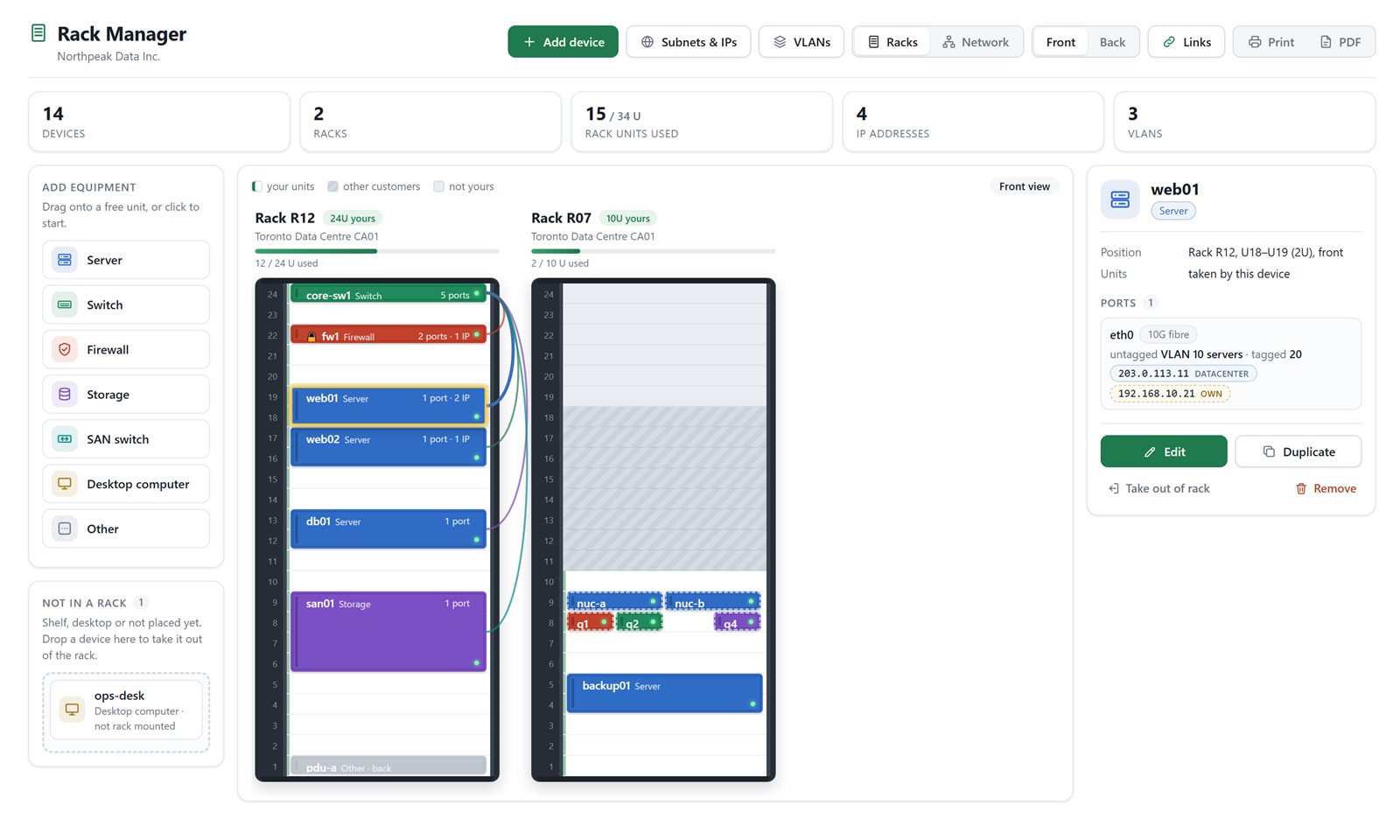
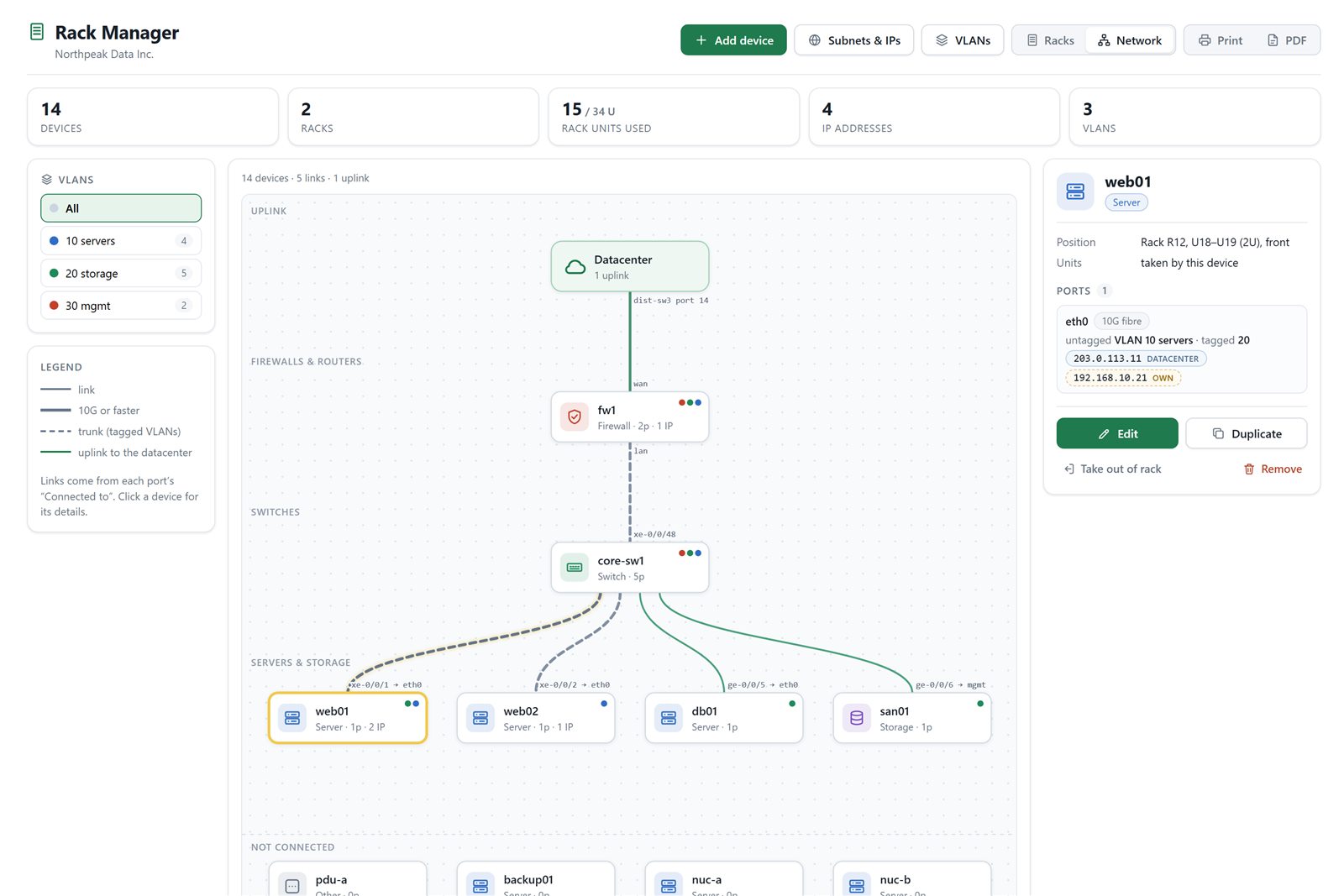
Today we’re launching Rack Manager in the Nuday customer portal: a live, visual map of your colocation space. Every device, every port, every cable, IP address and VLAN, in one place you can open from anywhere. It comes with two views: a Rack view that shows your cabinets exactly as they’re built, and a Network view that maps how everything is connected.
Rack view: your racks, drawn to the U
Network view: your whole network on one map
Why we built it
Most teams keep their rack layout in a spreadsheet that’s out of date the day after it’s written. When something goes wrong at 2 a.m., nobody should have to guess which port a server is patched to. Rack Manager keeps that knowledge next to the services you already manage with us.
What you can do
-
- See your racks as they really are. Front and back views, drawn to the U, with your space and usage at a glance.
- Add equipment in seconds. A short step-by-step wizard, or simply drag a device onto a free unit.
- Half and quarter width gear. Mini PCs, appliances and shelves sit side by side in the same unit.
- Document your network. Ports, speeds, what each port connects to, tagged and untagged VLANs.
- Keep every IP in one place. Addresses we assign and your own internal ranges, clearly labelled and kept apart.
- Switch to Network view. An automatic diagram from the datacenter uplink down to every server, filterable by VLAN.
- Print it or save it as PDF. Clean rack and network sheets with a full device list, ready for audits and handovers.
- Duplicate in one click. Adding ten identical servers? Copy one, with its ports, and you’re done.
Available now
Rack Manager is available to every Nuday colocation customer. Sign in to portal.nuday.com and open Rack Manager from the menu. Our team can see the same view, so when you call support, we’re literally looking at the same rack.